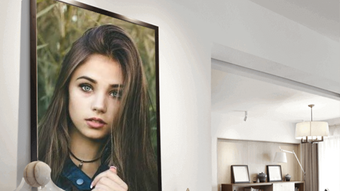

Download 3D Camera Photo Editor APK – free, 3D effects, filters, beauty app, photo editing tool, Android
Overview
The 3D Camera Photo Editor APK is a mobile application designed for Android devices, developed by Wild Dev Labx.Inc. It serves as a digital photo enhancement tool tailored for users who enjoy capturing and refining selfies and casual photography. The app enables users to apply a range of visual effects, including filters, 3D enhancements, and frame additions, transforming ordinary images into visually striking compositions. Its primary purpose is to simplify the photo editing process for individuals seeking to improve the aesthetic quality of their images without requiring advanced editing skills.
Target users include social media enthusiasts, casual photographers, and mobile users who prioritize visual presentation in their digital content. The app is especially suited for those who want to elevate their selfies and personal photos with creative effects. Real-world usage scenarios include preparing images for Instagram, TikTok, or WhatsApp, where visual appeal plays a key role in engagement. The developer did not provide additional details about the company’s background or history beyond the name.
As a free-to-download application, it offers immediate access to core editing functions. While the app may include in-app purchases, no specific details about monetization or subscription tiers were provided. The focus remains on delivering a streamlined, intuitive experience for users who value quick, effective photo enhancements on their mobile devices.
Key Features & Capabilities
- 3D Effects Application – Users can apply depth-based visual enhancements to photos, adding a sense of dimensionality to images, particularly useful for portraits and selfies.
- Filter Library – A collection of preset filters allows users to instantly alter the mood and tone of their photos, from soft pastels to bold cinematic styles.
- Frame Integration – The app supports the addition of decorative frames, enabling users to customize the borders of their images for a more polished look.
- Image Adjustment Tools – Users can modify brightness, contrast, saturation, and color balance to fine-tune the overall appearance of their photos.
- Background Customization – The ability to change or modify the background of an image offers creative flexibility, especially useful for portrait editing.
- Shadow and Highlight Control – Users can enhance depth perception by adjusting shadows and highlights, contributing to a more dynamic and professional appearance.
These features collectively support a creative workflow where users start with a captured image, then apply enhancements step-by-step. For example, a user might take a selfie, apply a 3D effect to add depth, adjust brightness for better visibility, and finish with a stylish frame for social media sharing. The app’s design prioritizes accessibility, making these tools available through a simplified interface suitable for beginners and casual users.
User Interface, Workflow & Performance
The 3D Camera Photo Editor APK features a mobile-optimized interface structured around intuitive navigation. Users can access editing tools through clearly labeled icons and swipe-based controls, minimizing the learning curve for new users. The workflow begins with image selection, followed by a step-by-step application of filters, effects, and adjustments, all designed to maintain a logical sequence.
Navigation is streamlined to support quick access to frequently used functions, such as filter presets and frame options. The app’s layout emphasizes visual feedback, with real-time previews of changes, allowing users to see the impact of their edits instantly. This responsive design enhances user confidence during the editing process.
Performance observations are based on general software behavior patterns. The developer did not specify resource usage details, and no information was provided about CPU or RAM consumption. Stability during extended use or under high-resolution image processing was not documented. Users may experience variations in performance depending on device hardware and Android version. The app’s lightweight nature, as implied by its free distribution model, suggests it is designed for efficient operation on mid-range and high-end Android devices.
Compatibility & System Requirements
The 3D Camera Photo Editor APK is designed for Android operating systems. The specific version compatibility was not disclosed, and no information was provided about minimum hardware requirements. Installation size is not specified, though the app is distributed as a downloadable APK file, indicating it can be installed directly on compatible devices without relying on official app stores.
Exact system requirements were not listed. Compatibility information was partially provided, with the app confirmed to run on Android devices. The developer did not specify whether it supports tablets, wearables, or other form factors. Users are advised to ensure their device meets standard Android compatibility standards for third-party app installations, including enabling “Install from Unknown Sources” in device settings.
Pros and Cons
Pros
- Free to download and use with no mandatory subscription
- Intuitive interface suitable for beginners and casual users
- Offers a variety of 3D effects and filters for creative expression
- Includes tools for brightness, contrast, and color balance adjustments
- Supports background changes and frame additions for enhanced visuals
- Real-time preview of edits improves editing accuracy
Cons
- No information provided about system requirements or performance impact
- May include in-app purchases, which could affect long-term cost
- APK distribution limits access to official app store security checks
- Limited details on update frequency or developer support
- No indication of cloud sync, export quality, or file format options
FAQ Section
Is 3D Camera Photo Editor available for iOS devices?
The app is currently available only for Android devices. No information was provided about iOS compatibility or future releases for Apple platforms.
Can I use the app offline?
Yes, once installed, the app can be used without an internet connection. However, some features may require online access if they rely on cloud-based assets or updates.
Is the APK file safe to download?
The app is distributed as an APK file, which means it is not hosted on official app stores. Users should download from trusted sources to minimize security risks. The developer did not provide a digital signature or verification details.
Does the app support high-resolution image editing?
While the app allows for image editing, exact support for high-resolution files was not specified. Performance may vary depending on device capabilities and image size.
Are there any updates for the app?
Update frequency and release schedule were not disclosed. Users should check the developer’s website or trusted APK repositories for the latest version.
Final Thoughts + CTA
The 3D Camera Photo Editor APK stands out as a user-friendly, feature-rich tool for Android users seeking to enhance their photos with creative effects. Its combination of 3D enhancements, filters, and basic editing tools makes it a practical choice for social media content creators and casual photographers. While the lack of detailed system requirements and performance data limits deeper evaluation, the app’s free availability and straightforward interface offer immediate value.
It is best suited for individuals who want to quickly elevate their selfies and casual photos without complex workflows. The app delivers a balance between accessibility and creative control, making it ideal for beginners and mobile-first users. For those looking to experiment with visual effects and share polished images, this tool provides a solid foundation.
Download 3D Camera Photo Editor APK now and transform your photos into stunning visual stories.





.png)

